Toca Life World Android and iPhone Transfer Guide 2025
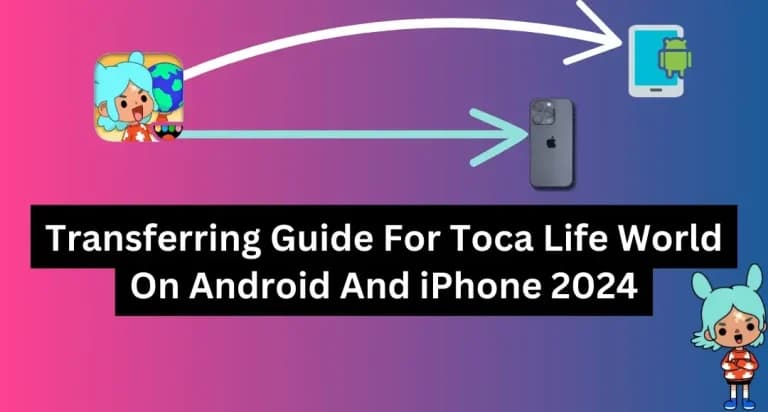
Have you recently upgraded to a new device and want to keep your Toca Boca World progress? You don't have to start from scratch. This step-by-step guide shows you how to transfer and restore your Toca Life World data on both Android and iPhone.
Why Should You Transfer Your Previous Progress?
After investing significant time building your Toca Boca world, losing all that progress when changing devices would be frustrating. Fortunately, the transfer process is simple once you know the right steps — and your account-linked purchases come back automatically.
How to Transfer Toca Boca on Android
Toca Boca games are linked to your Google account. When switching to a new Android device:
- Sign in to your new device with the same Google account used on your old device
- Open the Google Play Store and download Toca Life World
- Launch the game — your purchases and progress should automatically restore
- If prompted, sign in to your Toca Boca account within the game settings
Restore Tips When Purchases Don't Appear
If your content doesn't appear after signing in, follow these steps:
- Ensure both your device OS and the game app are fully updated
- Open Settings → Google → Clear Google Play Store cache
- Open the game, go to Settings, and tap "Restore Purchases"
- Wait a few minutes for the restoration to complete
- If the issue persists, contact Toca Boca support with your purchase receipt
How to Restore Progress on iPhone
On iOS, your Toca Boca purchases are tied to your Apple ID:
- Sign in to your new iPhone with the same Apple ID used for your original purchases
- Download Toca Life World from the App Store
- Open the game, go to Settings, and tap "Restore Purchases"
- All previously purchased content should reappear within minutes
Make sure you're using the exact same Apple ID as before. If iCloud is enabled on both devices, some game data may sync automatically.
Conclusion
Transferring your Toca Boca World progress between devices is much easier than most players expect. Whether you're on Android or iPhone, your Google or Apple account is the key to recovering your complete gaming history. Follow this guide and continue your Toca Boca adventure on any device!